
How to Use Back Tap for Quick Actions
Q: How can I quickly access an app or feature on my iPhone without using the screen?
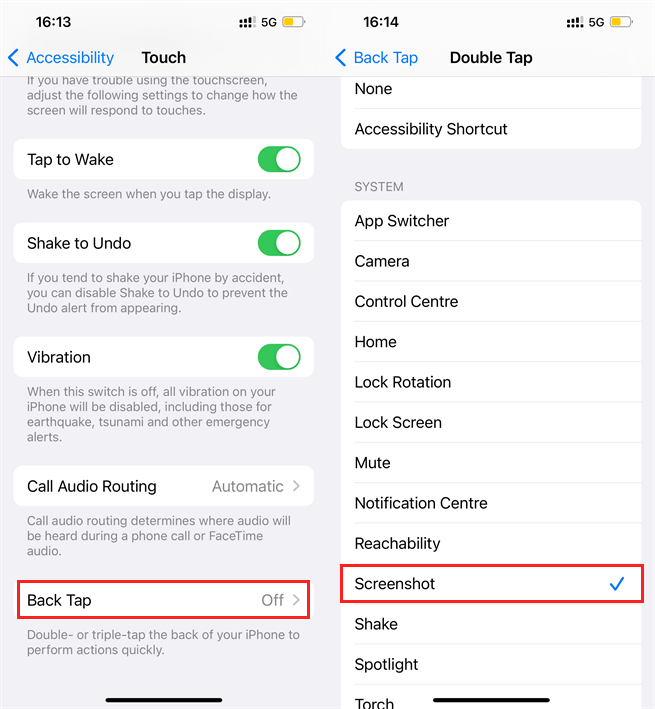
A: You can use the Back Tap feature on your iPhone to perform quick actions by tapping the back of your device. This feature allows you to double-tap or triple-tap the back of your iPhone to trigger actions like taking a screenshot, opening the camera, or launching an app.
How to Enable Back Tap:
-
Open Settings.
-
Go to Accessibility.
-
Select Touch.
-
Scroll down and tap Back Tap.
-
Choose either Double Tap or Triple Tap.
-
Assign an action from the list (e.g., Screenshot, Home, Control Center).
Once set up, simply tap the back of your iPhone to trigger the assigned action. This is a great way to quickly access features without navigating through menus!